Build a Modern Data Platform as a Software Team (2026): Production-Grade Pipelines Without a Dedicated Data Team
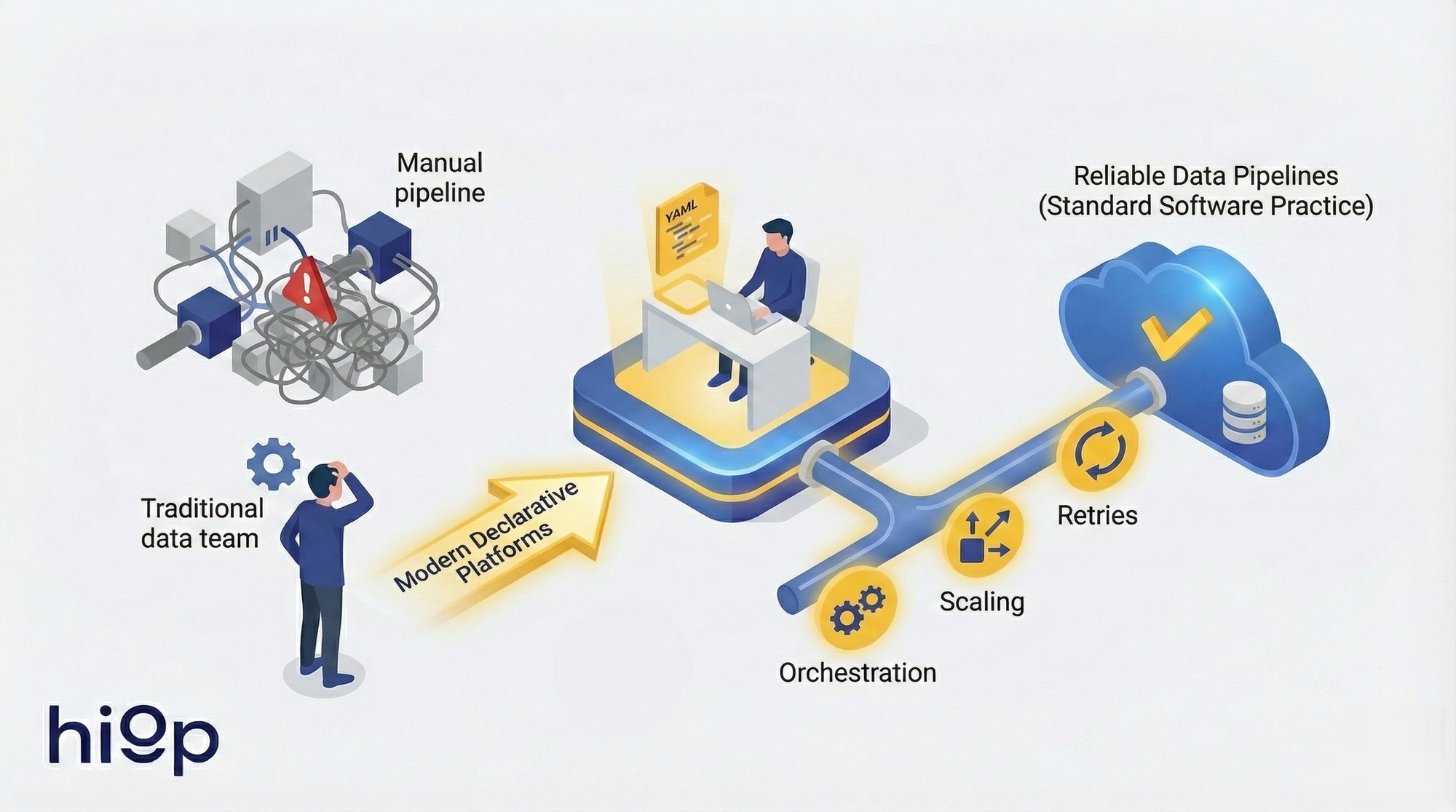
Building reliable data pipelines no longer requires dedicated data teams. Modern declarative platforms let software engineers define where data goes and how it should look while the infrastructure handles orchestration, scaling, and retries: turning data engineering into a software practice.

Data Pipelines for Software Engineers (2026): How to Ship Production-Grade Pipelines Without a Dedicated Data Team
Data engineering for software teams became practical in 2026 because the tooling finally caught up. Moving data between systems in 2018 meant hand-wiring Airflow DAGs, managing Spark clusters, writing custom connectors, and debugging serialization formats at 3 a.m. That required dedicated specialists. Fair enough.
What changed: declarative platforms now let you state where data should go and what it should look like, then auto-build the underlying infrastructure. The orchestration, retries, scaling, and connector maintenance that used to justify a team of three are handled by the platform. What remains is defining schemas, setting freshness requirements, and enforcing correctness – things software engineers already do for APIs every day.
The skill gap was always a tooling gap. This guide shows how to build and operate data pipelines for software engineers using practices you already know -- and why the teams building data pipelines for small teams without dedicated data hires ship products faster than those still waiting to hire specialists.
What "production-grade" means for a lean team (and what it doesn't)
The phrase "production-grade data pipeline" gets thrown around loosely. For most teams, it means: data arrives reliably, data arrives correctly, and someone knows when it doesn't. That's it. You don't need Kubernetes operators for Spark. You need the boring version.
The only five properties that matter
A production-grade pipeline satisfies five constraints:
- Reliability. The pipeline runs on schedule. When it fails, it retries. When retries fail, someone gets paged. Partial failures don't produce partial results in downstream tables.
- Correctness. Output matches the contract. Row counts are stable within expected bounds. Duplicate records don't accumulate. Transformations produce values that pass validation checks.
- Scalability. The pipeline handles 10x the current volume without architectural changes. This doesn't mean "scales to petabytes." It means a sudden traffic spike doesn't require an emergency redesign.
- Security. Credentials are managed through secret stores, not hardcoded. Data in transit is encrypted. Access to PII follows the principle of least privilege. Audit logs exist.
- Cost. Compute and storage costs are proportional to value delivered. A $500/month pipeline that feeds a dashboard nobody checks is not production-grade; it's waste.
Everything else -- real-time dashboards, ML feature stores, multi-region replication -- is optimization on top of these five. Nail these first.
Common failure modes in software teams
Teams without data engineering experience tend to fail in predictable ways. According to the 2025 State of Data Engineering report, 60% of software teams cite "undefined ownership" as their primary pipeline failure mode:
Fragile scripts without contracts. A Python script runs on cron. The source API changes a field name, the script silently writes nulls, and nobody notices until a quarterly report looks wrong. The pipeline ran successfully (exit code 0), but the business logic diverged from what downstream consumers expect. There's no schema validation, no alerting, no contract defining what "correct" means.
Undefined ownership. The pipeline exists. It runs. Nobody knows who wrote it, why certain transformations exist, or who should fix it when it breaks. This is the most common failure mode and the hardest to fix retroactively.
What not to do
Overbuying enterprise platforms. Adopting Informatica or Talend for a three-person team with five data sources is like buying a forklift to move a bookshelf. The licensing cost, configuration overhead, and vendor dependency will consume more engineering time than the problem itself.
Inventing orchestration too early. Writing a custom DAG runner because "we might need complex dependencies later" is premature abstraction. Most early pipelines are linear: extract, transform, load. Use a managed scheduler or a CI/CD pipeline. Add orchestration when you have actual fan-out dependencies, not before.
Over-engineering an internal data platform. Building an internal self-serve data platform is a full-time job for a team, not a side project. Teams that attempt this end up maintaining two products: their actual product and a half-finished data platform that frustrates its three internal users.
Modern Data Platform Architecture: The Minimal Design That Scales (without enterprise baggage)
A minimal data pipeline architecture for a startup or small software team isn't about fewer boxes on a diagram. It's about fewer boxes you have to operate.
Reference flow: sources, ingest, transform, store, serve
Every data pipeline follows five stages: sources → ingest → transform → store → serve. The architectural decision isn't which stages to include (you need all five). The decision is which you operate yourself versus delegate to managed services. The ingest layer (connectors, authentication, pagination) is where most DIY effort is wasted -- connectors are maintenance-heavy and low-value. Transform is where your team's domain knowledge lives and where correctness matters most.
ETL and ELT (and why ELT is usually the boring correct choice)
ETL transforms data before loading it into the warehouse. ELT loads raw data first, then transforms it inside the warehouse.
For most software teams, ELT wins on three counts. First, warehouses are now powerful enough to handle transformations at query time, so the "transform first" step was an optimization for an era of expensive storage and weak compute. Second, keeping raw data means you can re-transform without re-extracting, which matters when you discover a bug in your business logic six weeks later. Third, transformations written in SQL inside the warehouse are version-controllable, testable, and reviewable in Git -- the same workflow your team already uses.
ETL still makes sense when you need to redact PII before it lands in the warehouse, when raw data volumes are genuinely large enough to make storage costs significant, or when regulatory requirements mandate that certain fields never enter certain systems. But these are specific constraints, not defaults.
Batch and Streaming: choose batch by default
Streaming pipelines (Kafka, Flink, Kinesis) are appropriate when latency is a hard business requirement measured in seconds. Fraud detection. Real-time pricing. Session-based personalization. According to Confluent's 2025 Kafka Survey, only 18% of data workloads have sub-minute latency requirements.
For the other 82% -- reporting, analytics, dashboards, operational data movement -- batch pipelines running every 15-60 minutes are sufficient. Batch is simpler to debug, simpler to backfill, and cheaper to run. Start with batch. Add streaming when a specific use case proves the need, not before.
The "minimum viable warehouse/lakehouse" decision for startups
If your data fits in a single Postgres instance (and it probably does if you're under 100 GB of analytical data), start there. Add a read replica, point your BI tool at it, and move on.
When you outgrow that: BigQuery and Snowflake offer serverless models where you pay for queries, not for always-on clusters. For teams that want to avoid cloud warehouse lock-in, DuckDB on top of Parquet files in S3 provides a surprisingly capable analytical engine at near-zero cost for moderate data volumes.
The lakehouse pattern (Delta Lake, Iceberg, Hudi on top of object storage) makes sense when you have mixed workloads – SQL analytics plus ML training plus unstructured data. For most teams at the "we just need accurate dashboards" stage, a warehouse is simpler and sufficient.
A production pipeline you can ship this week (reference implementation)
The fastest way to build a data pipeline as a software engineer is to resist the urge to build a platform. Build one pipeline. Ship it. Operate it for a month. Then build the second one.
Pick one source and one destination
Choose the source that causes the most pain today. Usually it's a SaaS tool where someone is manually exporting CSVs. The destination is your warehouse or a Postgres analytics schema. One source, one destination, one pipeline. Finish it completely before starting the next one.
Define the contract
Before writing any extraction code, define three things:
Schema. What columns exist, what types they have, which are nullable. Write this down. In a YAML file, a JSON schema, a SQL DDL statement -- the format doesn't matter. What matters is that the contract is explicit, versioned, and reviewable.
Freshness SLA. "Data should be no more than 4 hours old" is a freshness SLA. "Data should be up to date" is not. Pick a number. Write it down. Alert when it's violated. Most teams discover that their actual freshness requirement is much more relaxed than they assumed.
Ownership. One person (or one team) owns this pipeline. Their name is in the repository. They get paged when it breaks. Ownership without accountability is decoration.
Deploy with CI/CD
Pipelines are code. Treat them that way:
- Migrations -- Schema changes to the destination tables go through migration scripts, same as application database migrations.
- Environments -- Dev, staging, production. Dev reads from sample data or a sandbox API key. Staging reads from production sources but writes to a staging schema. Production is production.
- Secrets -- API keys and database credentials live in your secret manager (Vault, AWS Secrets Manager, even GitHub Secrets for simpler setups). Never in the repository, never in environment variables baked into Docker images.
- Rollbacks -- If a deployment breaks the pipeline, you can revert to the previous version. This means your pipeline definitions are in Git and your deployment is automated.
Backfills without panic
Your pipeline will need to reprocess historical data. A source schema changes. A transformation bug is discovered. A new column needs to be populated for the last six months.
Design for this from day one: make every pipeline run idempotent. Given the same input time range, it produces the same output regardless of how many times it runs. The simplest implementation: delete-and-replace for the target partition, then reinsert. Append-only pipelines with deduplication at query time also work but add complexity downstream.
Define a replay strategy: "To backfill the last 90 days, run the pipeline with --start-date and --end-date parameters." Test this before you need it.
Minimum monitoring
Three signals are sufficient for a new pipeline:
- Failure alerts. The pipeline didn't complete. Page the owner.
- Freshness alerts. The pipeline completed, but the most recent record in the destination is older than the SLA. This catches silent failures where the pipeline runs but processes zero rows.
- Volume anomalies. The pipeline loaded 500 rows today, but the 30-day average is 50,000. Something changed. This doesn't need to be a page -- a Slack notification is fine -- but someone should look.
Anything more than this for a single pipeline is premature. Add data quality checks (null rates, value distributions, referential integrity) when you have evidence that a specific class of error is recurring.
Design principles that keep pipelines boring: idempotency, backfills, schema evolution
The data pipeline best practices that matter aren't different from software engineering best practices. They're the same principles applied to a context where state management is harder and debugging is delayed.
Idempotency, retries, and dead-letter patterns
An idempotent pipeline produces the same output whether it runs once or five times for the same input window. This is the single most important property for reliability.
Implementation patterns: use MERGE/UPSERT statements keyed on a natural or surrogate key. Or use partition-level delete-and-replace (delete all rows for the target date, then insert). Avoid bare INSERT statements that accumulate duplicates on retry.
For retries: exponential backoff with a cap. Three retries over 15 minutes covers most transient failures (API rate limits, temporary network issues, warehouse maintenance windows). After retries are exhausted, route the failed batch to a dead-letter queue or table. This preserves the data for manual inspection without blocking subsequent runs.
Backfills and reprocessing
Two strategies, depending on the situation:
Recompute -- Delete the affected time range and rerun the pipeline. Use this when the transformation logic changed and all historical output is suspect. Requires idempotent pipelines (see above).
Append corrections -- Insert corrective records with a later timestamp or a correction flag. Use this when downstream consumers have already acted on the original data (invoices sent, reports filed) and overwriting history would create inconsistencies. This is more complex but sometimes necessary for audit trails. Across 50+ client implementations at hiop, recompute covers the vast majority of backfill scenarios. Design for recompute first. Add correction logic only when a specific use case demands it.
Schema evolution: additive changes, versioning, contract tests
Schemas change. Sources add fields, rename columns, change types. The question isn't whether this will happen -- it's whether your pipeline handles it gracefully or crashes at 2 a.m.
Additive-only changes are safe by default. A new column appears in the source; your pipeline ignores it until you explicitly add it to the schema contract. This requires that your ingestion layer doesn't blindly SELECT *.
Breaking changes (column removed, type changed, field renamed) require versioning. Options: version the table (users_v2), version the schema namespace, or maintain a compatibility layer that maps old field names to new ones. Pick one approach and standardize it across all pipelines.
Contract tests automate this. Before the pipeline runs in CI, validate that the source schema matches the expected contract. If a field is missing or the type changed, the CI build fails before bad data reaches production. This is the data equivalent of type checking -- cheap to implement, high-value.
Data quality checks that don't turn into a second job
The trap: teams implement 50 data quality rules, then spend more time triaging alerts than building features. Start with three categories:
- Not-null constraints on fields that must have values.
- Uniqueness constraints on primary keys.
- Freshness checks (already covered in monitoring).
Add rules only in response to actual incidents. "We had a bug where negative revenue values made it to the dashboard" justifies a revenue >= 0 check. "We might someday have invalid email formats" does not. Data quality rules are a liability unless they catch real problems.
Operating pipelines without a dedicated data team: ownership, alerts, runbooks
Data pipeline monitoring and operations are where data pipelines for small teams most often stall. Not because the pipelines are hard to build, but because nobody defined who operates them after the initial deployment.
Observability that matters
Four signals, in order of priority:
Freshness. How old is the newest record in each destination table? This is the single best indicator of pipeline health. A pipeline that ran successfully but produced zero new rows is a stale pipeline, and freshness catches it.
Completeness. Did we get all the records we expected? Compare row counts against the source, or against historical baselines. A 50% drop in daily row count is a signal worth investigating.
Correctness. Do computed values fall within expected ranges? This is harder to automate but critical for high-value tables. Revenue should be positive. Percentages should be between 0 and 100. Dates should be within a plausible range.
Error budgets. Borrow the SRE concept: define an acceptable failure rate (e.g., 99.5% of pipeline runs succeed per month) and track it. This prevents alert fatigue and gives teams a framework for prioritizing fixes versus new work.
Ownership model
Three distinct ownership roles, which can overlap on small teams:
Source owners maintain the connection to the source system. They know when API versions change, when rate limits are adjusted, when the source schema evolves. On a software team, this is often the engineer who also maintains the integration with that SaaS tool.
Transform owners maintain the business logic. They know why a particular filter exists, what the join conditions mean, how "active user" is defined. This role should overlap with whoever defines the metric on the product or analytics side.
Metric definition owners ensure that the numbers in dashboards match what the business means. "Revenue" in the dashboard should match "revenue" in the finance team's definition. This is the most neglected ownership role and the most common source of trust breakdown.
Assign these explicitly. Write them in a CODEOWNERS file, a YAML manifest, or a wiki page. The format doesn't matter. Ambiguity does.
Incident basics
When a pipeline breaks:
Stop the bleeding. Pause the pipeline. Don't let it keep writing bad data. A stale dashboard is better than an incorrect one.
Diagnose. Check the logs. Was it a source issue (API down, rate limited, schema change)? A transform issue (logic error, resource exhaustion)? An infrastructure issue (warehouse maintenance, credential expiry)?
Fix and verify. Apply the fix. Run the pipeline for the affected time range. Validate the output against known values or row counts.
Write the runbook. After the second time a specific failure occurs, document the diagnosis and fix steps. Runbooks are not documentation for the sake of documentation. They are on-call insurance. A good runbook saves 30 minutes at 2 a.m. when the person debugging isn't the person who built the pipeline.
On-call rotation for data pipelines can share the existing engineering on-call, with one addition: the on-call engineer should have access to the warehouse and permission to pause pipelines. If they don't, the rotation is decorative.
Data Pipeline Platform vs DIY: Build vs Buy a Lightweight Data Stack (and how to avoid lock-in)
The build-vs-buy decision for a lightweight data stack reduces to one question: where does your team's time create the most value?
Selection criteria
Evaluate platforms on four axes:
Integration coverage. Does the platform support your specific sources and destinations today? Not "200+ connectors" -- your actual connectors. A platform with 200 connectors that doesn't support your specific ERP is worse than one with 30 that does.
Ops burden. Who manages upgrades, scaling, and connector maintenance? "Managed" means different things to different vendors. Some manage the control plane but leave you to manage the workers. Read the fine print.
Security posture. Where do credentials live? Does data pass through the vendor's infrastructure or stay in your VPC? Can you audit access? For teams handling PII or financial data, this is often the deciding factor.
Scaling cost. Pricing models vary wildly: per-row, per-sync, per-connector, per-compute-minute. Model your expected volume at 3x and 10x current levels. Some platforms are cheap at low volume and punishing at scale. Others have high minimums but flat scaling curves.
Managed vs in-house
Standardize now: Connector management (use a managed service -- Fivetran, Airbyte Cloud, or equivalent). Writing and maintaining API connectors is the lowest-value work in data engineering. Every hour spent debugging pagination logic in a Salesforce connector is an hour not spent on business logic.
Standardize now: Warehouse (use a managed warehouse -- BigQuery, Snowflake, or Redshift Serverless). Operating your own analytical database is a full-time job.
Postpone safely: Orchestration (start with CI/CD schedulers; add Airflow when you have actual DAG complexity). Semantic layer (start with warehouse views; add a tool when metric definitions conflict across teams). Data catalog (start with a README; add a catalog at 50+ tables).
"No-code" vs "declared intent"
No-code ETL tools (drag-and-drop pipeline builders) optimize for non-technical users. They're fast to start and hard to govern. Pipelines defined in a GUI can't be code-reviewed, can't be version-controlled natively, and can't be tested in CI.
Declared-intent platforms take a different approach: you define what you want (source, destination, schema, schedule) in a configuration file, and the platform builds and operates the pipeline. The configuration lives in Git, goes through code review, and can be validated in CI before deployment. For software teams, this maps directly to existing workflows. It's not "no-code" -- it's "configuration over implementation."
The difference matters because the first approach trades long-term maintainability for short-term speed. The second preserves the engineering practices that keep systems reliable as they grow.
Data logistics: move data by declaring intent, not building plumbing
Data logistics applies the "infrastructure as code" model to data movement automation: you declare the desired state (source, destination, constraints), and the platform handles implementation.
The model: "from X to Y with constraints" vs "write and operate pipelines"
Traditional data movement automation requires engineers to write, test, deploy, and operate pipeline code for each data flow. The logistics model inverts this: you describe the desired state ("Stripe payments data should appear in our warehouse, refreshed hourly, with PII fields masked") and the platform handles extraction, transformation, scheduling, retries, and monitoring.
This isn't a philosophical distinction. It changes the unit of work from "implement and operate a pipeline" to "define and verify a data contract." The first requires infrastructure knowledge. The second requires domain knowledge. Software teams have domain knowledge.
Where automation helps vs what you still own
Automation handles well: infrastructure provisioning, connector authentication and pagination, retry logic, scaling compute to match volume, scheduling, and basic health monitoring. These are undifferentiated heavy lifting -- important, but not where your team's judgment adds value.
You still own: defining what data matters, who should access it, what "correct" means for your business, and how metrics are calculated. No platform can automate the decision that "active user" means "logged in within the last 30 days" versus "performed a core action within the last 7 days." That's business logic. It belongs to your team.
Example: a "data courier" approach
Hiop implements this data logistics model directly: engineers define a data flow in YAML (source, destination, schema, schedule), commit it to Git, and the platform builds and operates the pipeline. The contrast that matters: the traditional approach requires writing extraction code, retry logic, scheduling configuration, and monitoring setup (four concerns, four failure points). The declared-intent approach requires one YAML file and a hiop deploy command. Pipeline logic goes through the same CI/CD workflow as application code, which aligns with how software teams already work.
The broader point holds regardless of specific tooling: the era of "write and maintain custom pipeline code for every data flow" is ending. Declaring intent and letting infrastructure auto-build is not laziness – it's the same abstraction progression that took us from hand-managing servers to declaring infrastructure as code.
Frequently Asked Questions
Do I need Airflow as a small team?
Probably not. Airflow is an orchestration tool designed for complex DAG dependencies across dozens or hundreds of pipelines. If you have fewer than 10 pipelines with mostly linear dependencies, a CI/CD scheduler (GitHub Actions, GitLab CI) or a managed cron service handles the job with far less operational overhead. Add Airflow (or Dagster, or Prefect) when you have genuine fan-out dependencies that a linear scheduler can't express.
Should we do ETL or ELT for a startup?
ELT in almost all cases. Load raw data into your warehouse first, then transform with SQL. This preserves raw data for re-transformation, leverages the warehouse's compute for heavy operations, and keeps transformation logic in reviewable, testable SQL. The exceptions: when you must redact PII before it enters the warehouse, or when raw data volume makes storage costs significant (uncommon at startup scale).
What's the minimum monitoring for a production pipeline?
Three alerts: pipeline failure (it didn't run), freshness violation (it ran but data is stale), and volume anomaly (row count deviates significantly from baseline). These three catch the vast majority of production issues. Add specific data quality checks only in response to actual incidents, not speculatively.
How do backfills work without breaking dashboards?
Make pipelines idempotent: given the same input time range, they produce the same output. For backfills, use partition-level delete-and-replace -- delete all rows for the target date range, then reinsert. Dashboards that query the destination table see consistent data throughout the process. Avoid append-only backfills unless you have deduplication logic downstream.
How do we handle schema changes safely?
Additive changes (new columns) are safe by default if your pipelines don't use SELECT *. Breaking changes (removed or renamed columns, type changes) require versioning. Implement contract tests in CI: before a pipeline runs, validate that the source schema matches expectations. If a field is missing or changed, the build fails before bad data reaches production.
When is streaming actually necessary?
When latency is a hard business requirement measured in seconds, not minutes. Fraud detection, real-time bidding, session-based personalization during active sessions -- these justify streaming complexity. For dashboards, reporting, and operational analytics, batch pipelines running every 15-60 minutes are sufficient and dramatically simpler to build, debug, and backfill.
Can a software team do this without a dedicated data team?
Yes, with caveats. The tooling barrier that required dedicated data engineers has largely been eliminated by declarative platforms, managed connectors, and cloud warehouses. According to the dbt Labs 2025 State of Analytics Engineering survey, 43% of data teams now have zero dedicated data engineers, relying instead on software engineers who own data pipelines alongside application code. What hasn't changed: someone needs to own pipeline reliability, define metric semantics, and respond to incidents. The work shifts from "specialized infrastructure skills" to "standard software ownership practices." A software team can absolutely run production-grade data pipelines -- as long as they treat them as production systems with explicit ownership, monitoring, and on-call coverage.
What's the difference between "no-code ETL" and declared data movement?
No-code ETL tools provide visual interfaces for building pipelines. They're fast to start but hard to version-control, code-review, or test in CI. Declared data movement uses configuration files (YAML, JSON, HCL) that live in Git and describe the desired state: source, destination, schema, schedule, constraints. The platform builds and operates the pipeline from that declaration. For software teams, declared data movement preserves existing engineering workflows (PRs, CI/CD, rollbacks) while eliminating infrastructure implementation work.